Core premise: A single structured YAML file in Git powers a live REST endpoint, interactive Swagger documentation, static SEO-optimized HTML components, and mobile app payloads—eliminating manual content synchronization across channels.
- 1. YAML source of truth
- 2. Astro API & build pipeline
- 3. Interactive Swagger docs
- 4. Prerendered HTML tables
- 5. Mobile & client apps
This article demonstrates how to build a self-documenting API in Astro using a single source of truth. You can inspect the live implementation right now in the interactive API documentation.
To understand why this architecture matters, consider three immediate questions:
- What is being demonstrated? An Astro site hosting both its human-facing documentation and its machine-readable REST endpoints from the same codebase.
- What is the source of truth? A plain-text YAML file (
oil-types.yaml) stored directly in Git. - What are the three outputs? Interactive Swagger/OpenAPI documentation, prerendered static HTML tables, and live JSON payloads consumed by web or mobile applications.
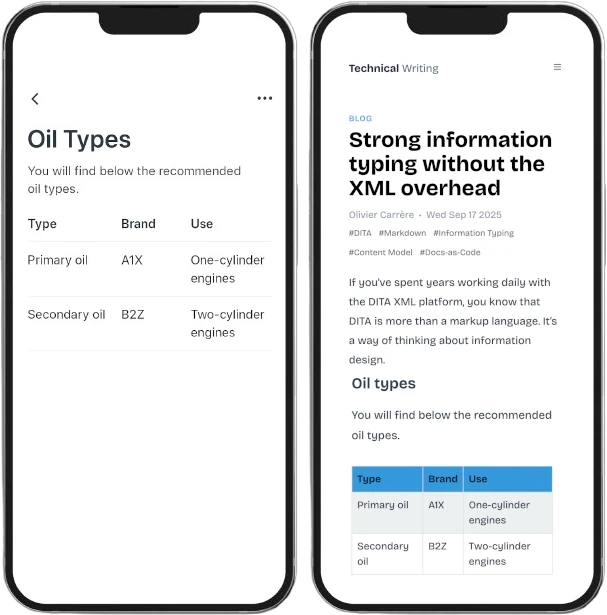
One YAML file, many outputs
By storing structured reference information in a single YAML file, you establish a unified distribution workflow. The data flows seamlessly into interactive API documentation, SEO-friendly HTML pages, or direct REST API responses.
This approach builds directly on the catalog architecture explored in What YAML gives technical docs that XML and Markdown can’t. In that article, we examined how YAML eliminates table maintenance headaches; here, we extend that exact same dataset into a headless delivery engine.
1. Source Layer
YAML plain file in Git
oil-types.yaml stores catalog facts once. Technical writers and domain experts edit data using standard Git branch-and-PR workflows.
2. Transformation
Astro build & API routes
TypeScript API endpoints (/api/oil-types) and static component templates import the YAML file directly, handling serialization and typing.
3. Output Channels
Multi-medium delivery
Interactive Swagger UI for developers, prerendered HTML tables for search engines, and live JSON payloads for client applications.

The diagram below maps how the YAML source powers every channel without content duplication or synchronization scripts:
Querying the API in practice
The live endpoint can be queried directly from client-side JavaScript or from your terminal.
- 1. Client sends request (fetch / curl)
- 2. Astro endpoint imports YAML
- 3. Payload serialized to JSON (200 OK)
- 4. Client renders structured response
Client-side integration: JavaScript fetch
For web components, mobile web views, or single-page applications, query the endpoint using modern fetch:
JavaScript fetch example JS
// Fetch all oil types from the live Astro endpoint
fetch("https://redaction-technique.org/api/oil-types")
  .then((res) => res.json())
  .then((data) => {
    console.log("Oil catalog data:", data);
  });
Terminal testing: cURL
For command-line testing, shell automation, or continuous integration checks, inspect the endpoint with curl:
Terminal cURL example cURL
# Query the live endpoint from terminal
curl https://redaction-technique.org/api/oil-types
Inspecting the structured JSON response
Calling GET /api/oil-types returns the full structured catalog serialized directly from the source YAML:
Endpoint: GET /api/oil-types | Status: 200 OK | Content-Type: application/json
{
  "id": "oil-types",
  "title": "Oil types",
  "shortdesc": "You will find below the recommended oil types.",
  "properties": {
    "headers": {
      "type": "Type",
      "value": "Brand",
      "description": "Use"
    },
    "rows": [
      {
        "type": "Primary oil",
        "value": "A1X",
        "description": "One-cylinder engines"
      },
      {
        "type": "Secondary oil",
        "value": "B2Z",
        "description": "Two-cylinder engines"
      }
    ]
  }
}
Notice: The JSON response retains the top-level document metadata (id, title, shortdesc) alongside the structured tabular rows (headers, rows). The API does not flatten or obscure the data model—it exposes the exact semantic structure defined in oil-types.yaml.
Why YAML as the source of truth?
Instead of maintaining a static JSON schema and manually duplicating it into documentation topics, the entire specification generates directly from YAML.
- 1. Update fact in oil-types.yaml
- 2. Peer review via Git pull request
- 3. CI/CD build triggered on merge
- 4. API endpoint updates response
- 5. Prerendered HTML tables refresh
This architecture delivers three decisive operational advantages:
- Zero drift across channels: The API endpoint, the interactive Swagger UI, and the documentation pages cannot diverge because there is only one file to edit.
- Automated multi-channel propagation: When an engineer or technical writer updates a product name, price, or viscosity grade in
oil-types.yaml, every downstream consumer refreshes during the next build. - Auditability and docs-as-code: Storing reference data in plain files rather than a database keeps your content version-controlled, easily diffable, and reviewable using pull requests.
Build-time vs. runtime synergy: The exact same YAML file serves dual duty in Astro. At build time, Astro components import
oil-types.yamlto prerender fast, SEO-friendly HTML tables. At runtime, the API route exposes it as dynamic JSON for external consumers—all without writing synchronization scripts.
As explained in Strong Information Typing Without XML Overhead, modern docs-as-code workflows let technical writers structure information using lightweight, open tools without the operational complexity of legacy XML pipelines.
Related reading
- What YAML gives technical docs that XML and Markdown can’t — deep dive into Git diffs, table maintenance, and schema validation.
- Structured and unstructured formats — using a single structured source to feed multiple outputs.